Reagent documentation / iPassport
Controlled documents stay in iPassport. Stock stores only IDs and URLs plus lot data.
Stock item ──link──► iPassport (SDS / IFU / CoA)
    │
    └── holds ──► lot, expiry, usage, audit
Link a reagent (admin / catalogue)
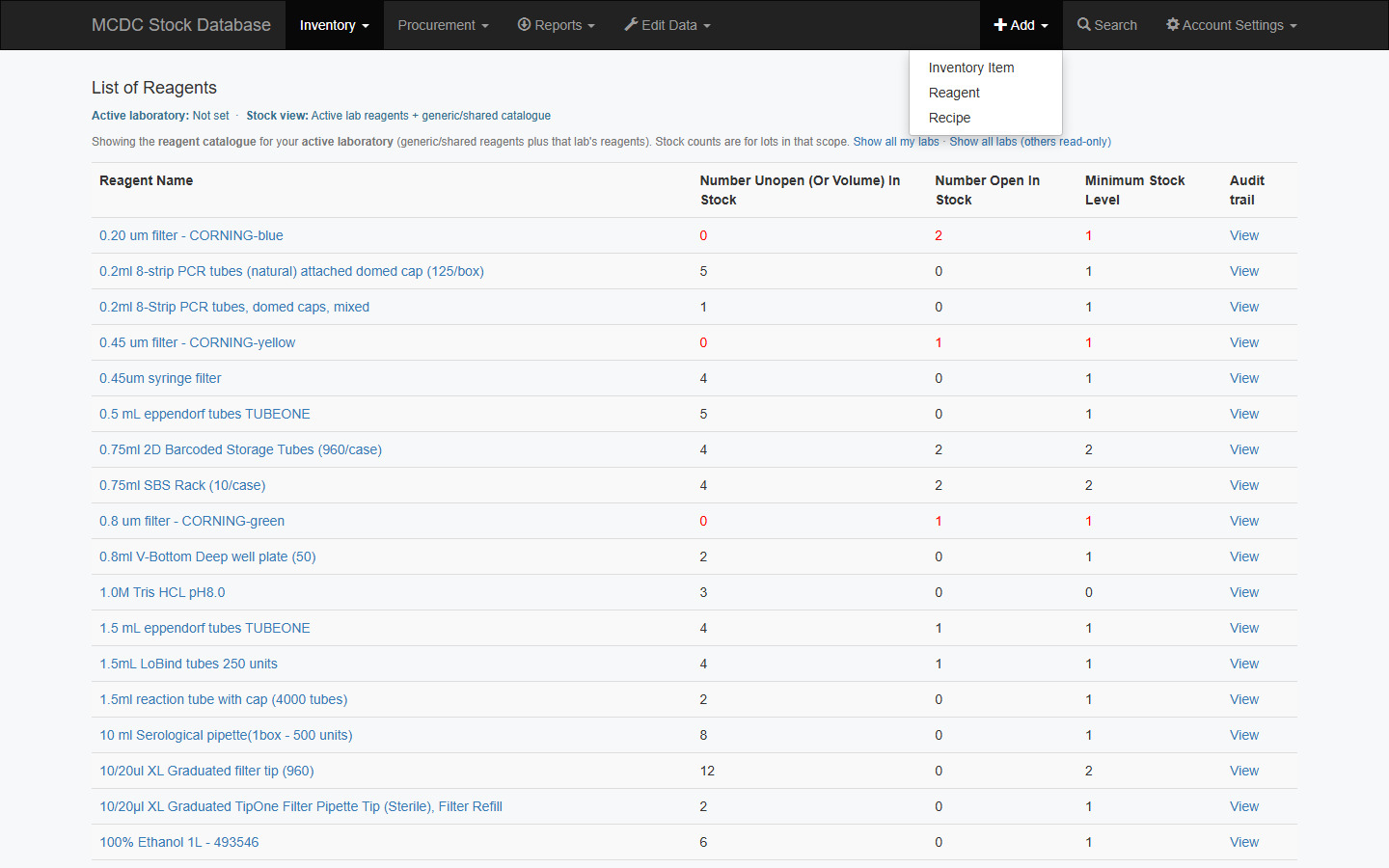
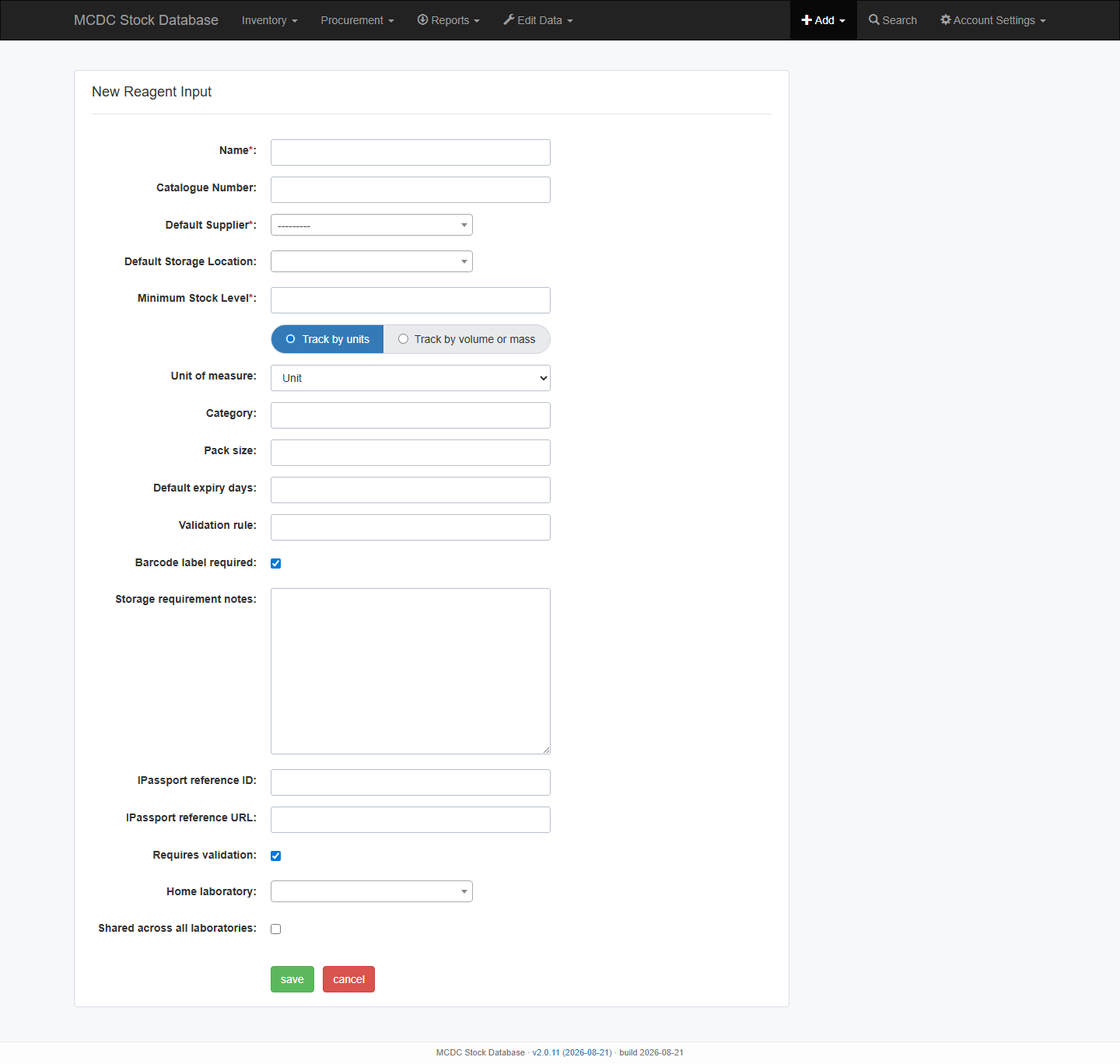
- Add → Reagent or Edit Data → Edit Reagent.
- Set iPassport reference ID and/or iPassport reference URL. Do not paste SDS/IFU text into Stock.
- Save, then confirm the link on an inventory item (right-hand reagent panel).
Use at the bench
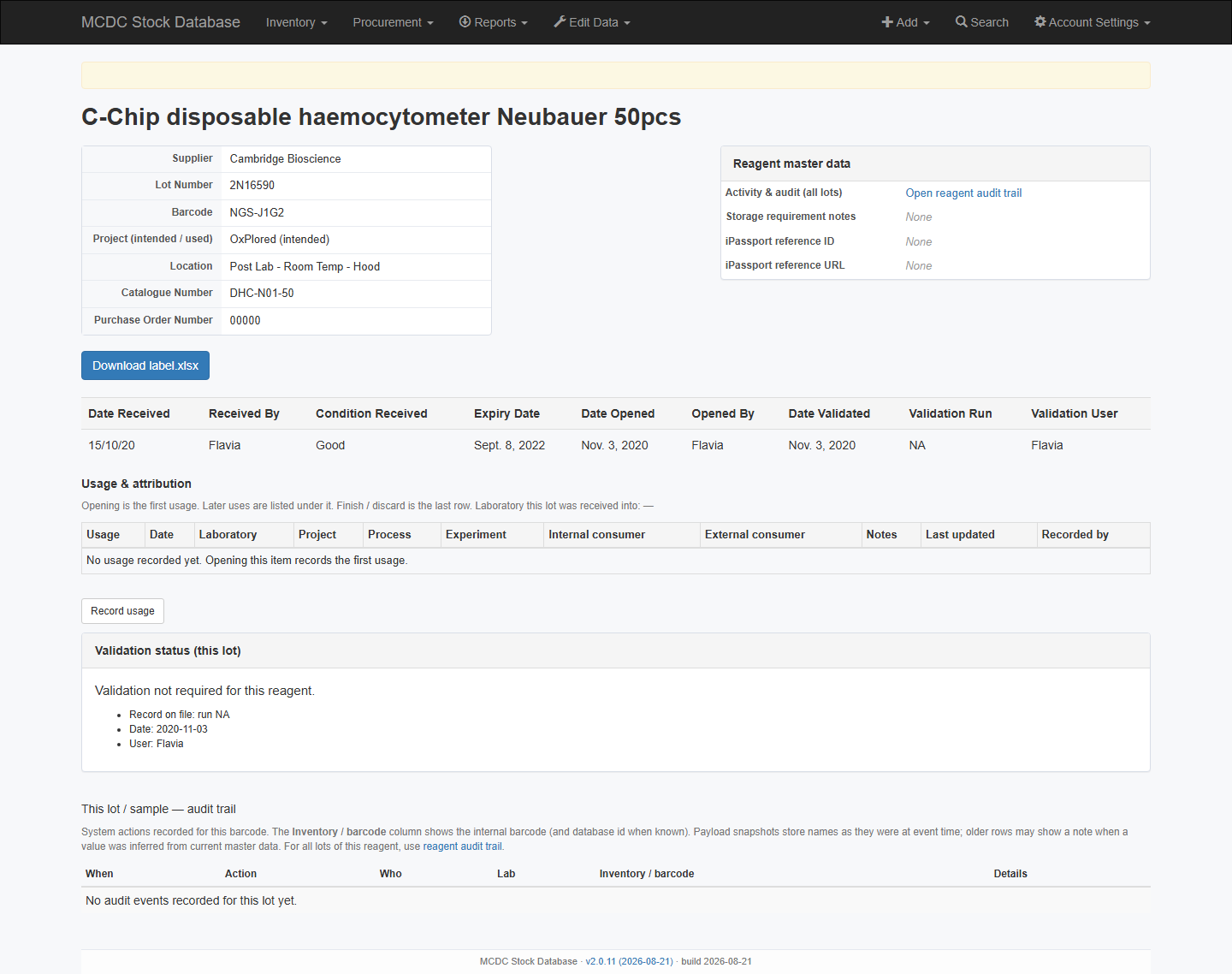
- Open the item. The right-hand table shows iPassport ID and URL (or None).
- Open the URL in a new tab, then return to Stock for Open / Use / Finish.
- Book-in captures lot, quantity/volume, PO, expiry, storage, and lab — not controlled documents.
- Reports → Inventory (reagents below minimum) includes an iPassport column for pre-order checks.
Activity across lots
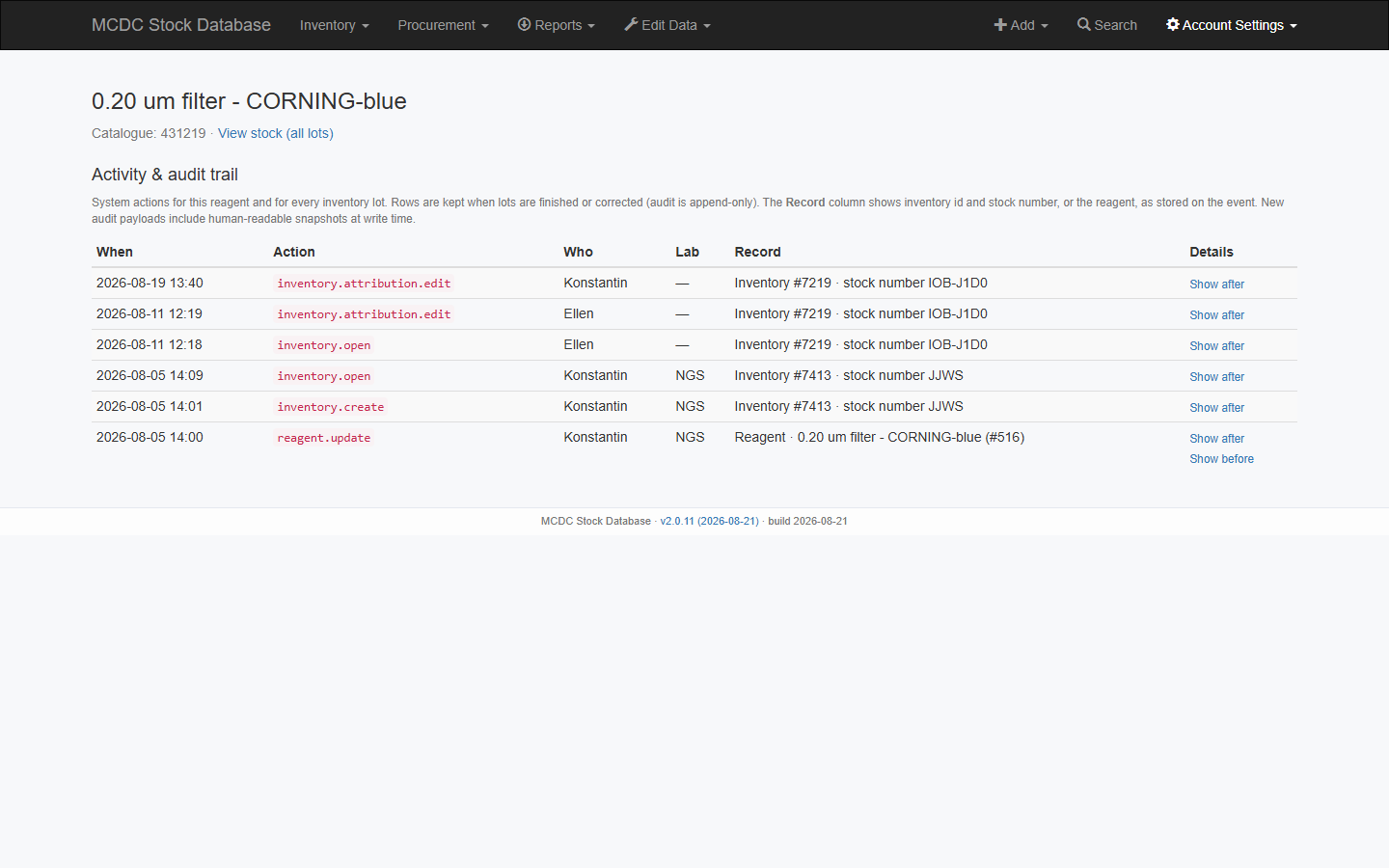
From the item page or the reagent name on List of Reagents, open the reagent. Activity & audit trail lists who changed master data and what happened on each lot (append-only).