Storage & open-vial stability
Locations, suitability warnings, and post-open stability (separate from expiry).
Storage location + profile
    └── matches reagent requirement? ──yes──► OK
                              └── no ──► warning on item page

Open item ──► open-vial rule (N days) ──► daily /stock/open_vial_emails/
Locations and requirements (admin)
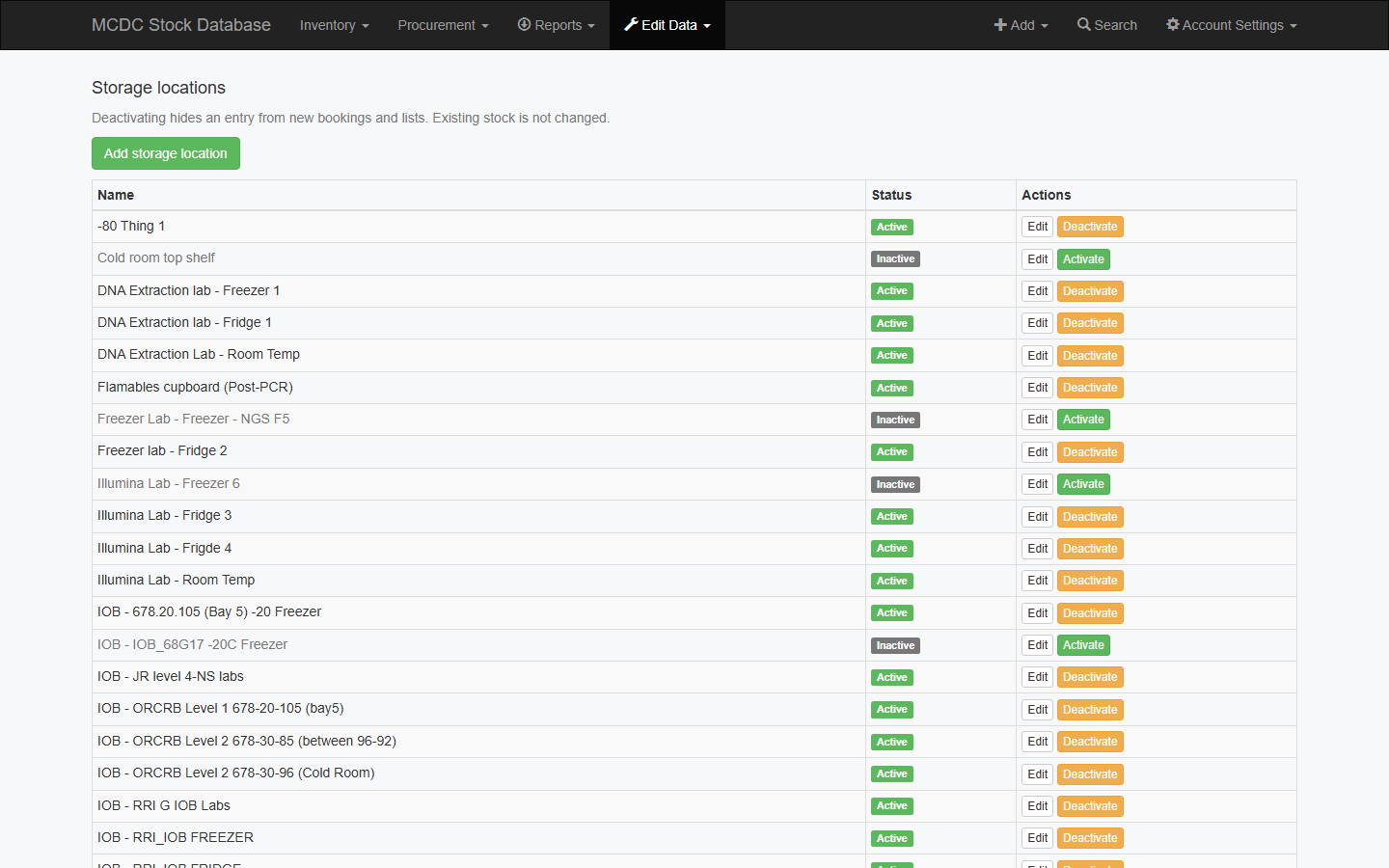
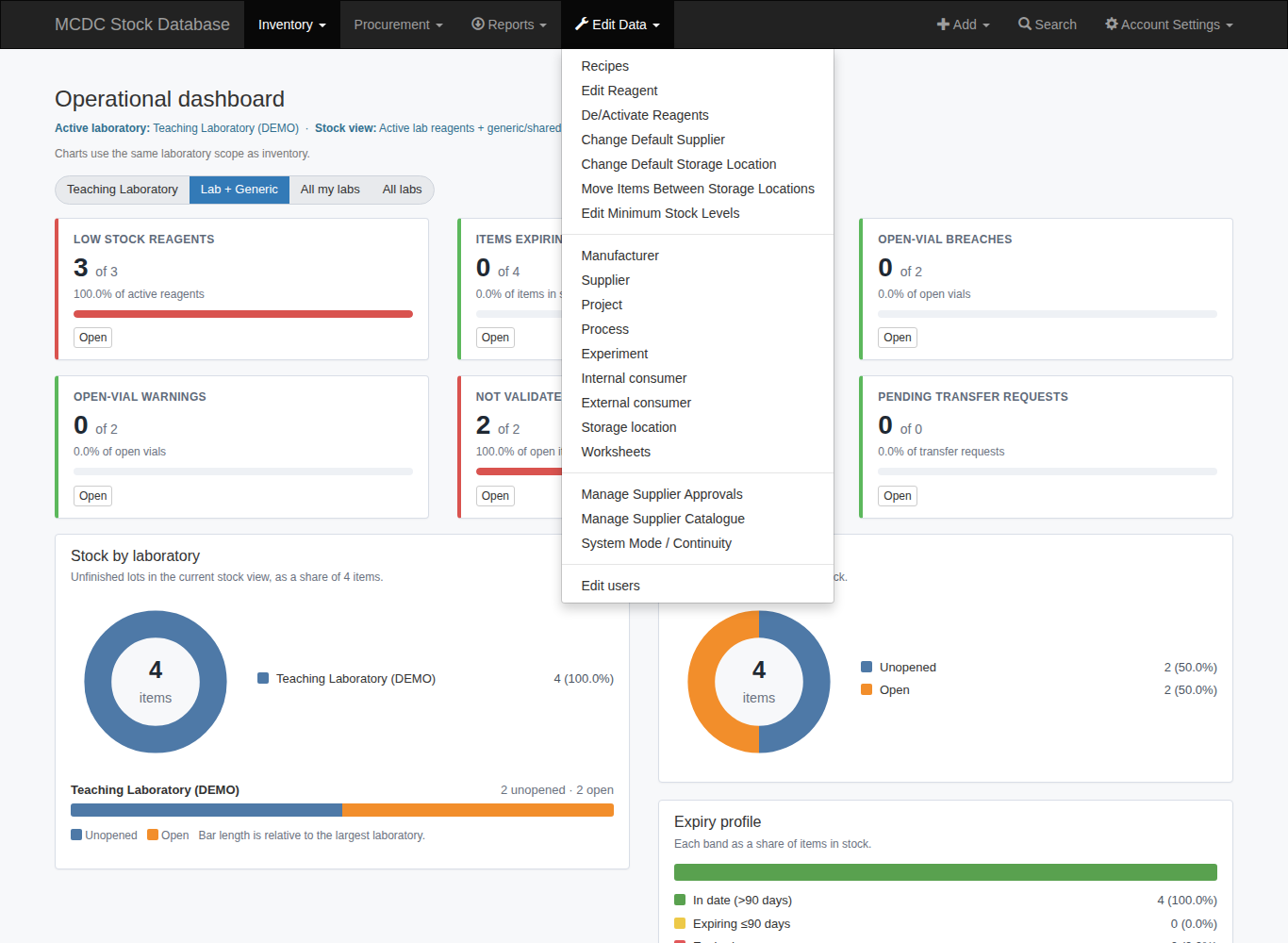
- Add → Storage location opens a new location. Edit Data → Storage location lists, edits, or activates/deactivates locations. Deactivating hides a location from new bookings; existing stock is unchanged. A shelf or door sits under a fridge, freezer, or ULT.
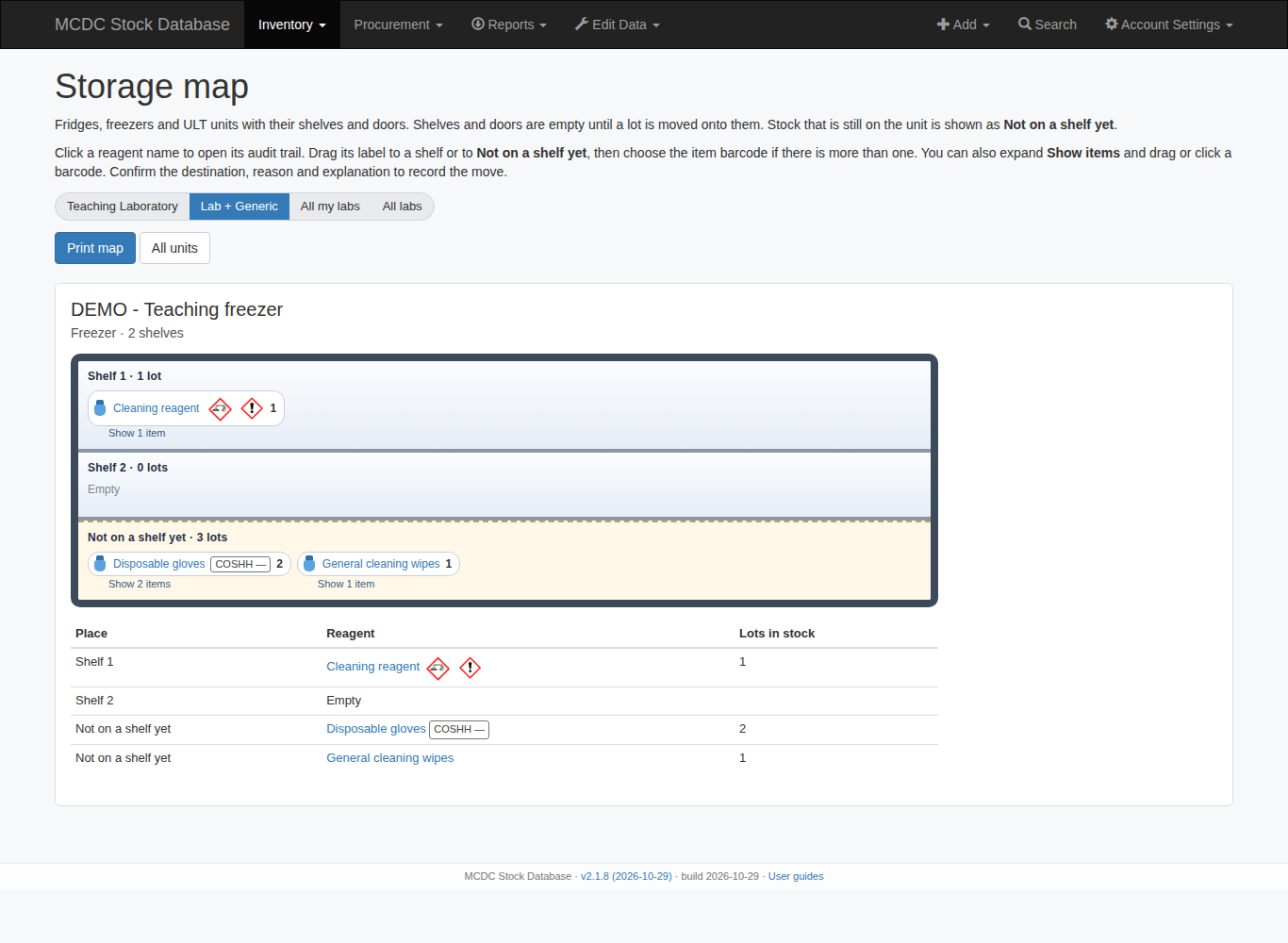
- Inventory → Storage map draws each unit with named shelves and a door, marks the reagents stored there, and prints a list of what is where. A lot can stay on the unit until someone moves it onto a shelf.
- Maintain temperature/humidity on the location profile where that data is used.
- Per-reagent state requirements: Any / Unopened / Opened / Dissolved / Reconstituted. Notes also sit on Add → Reagent as Storage requirement notes.
- Change the catalogue default with Edit Data → Change Default Storage Location.
Move an item on the Storage map
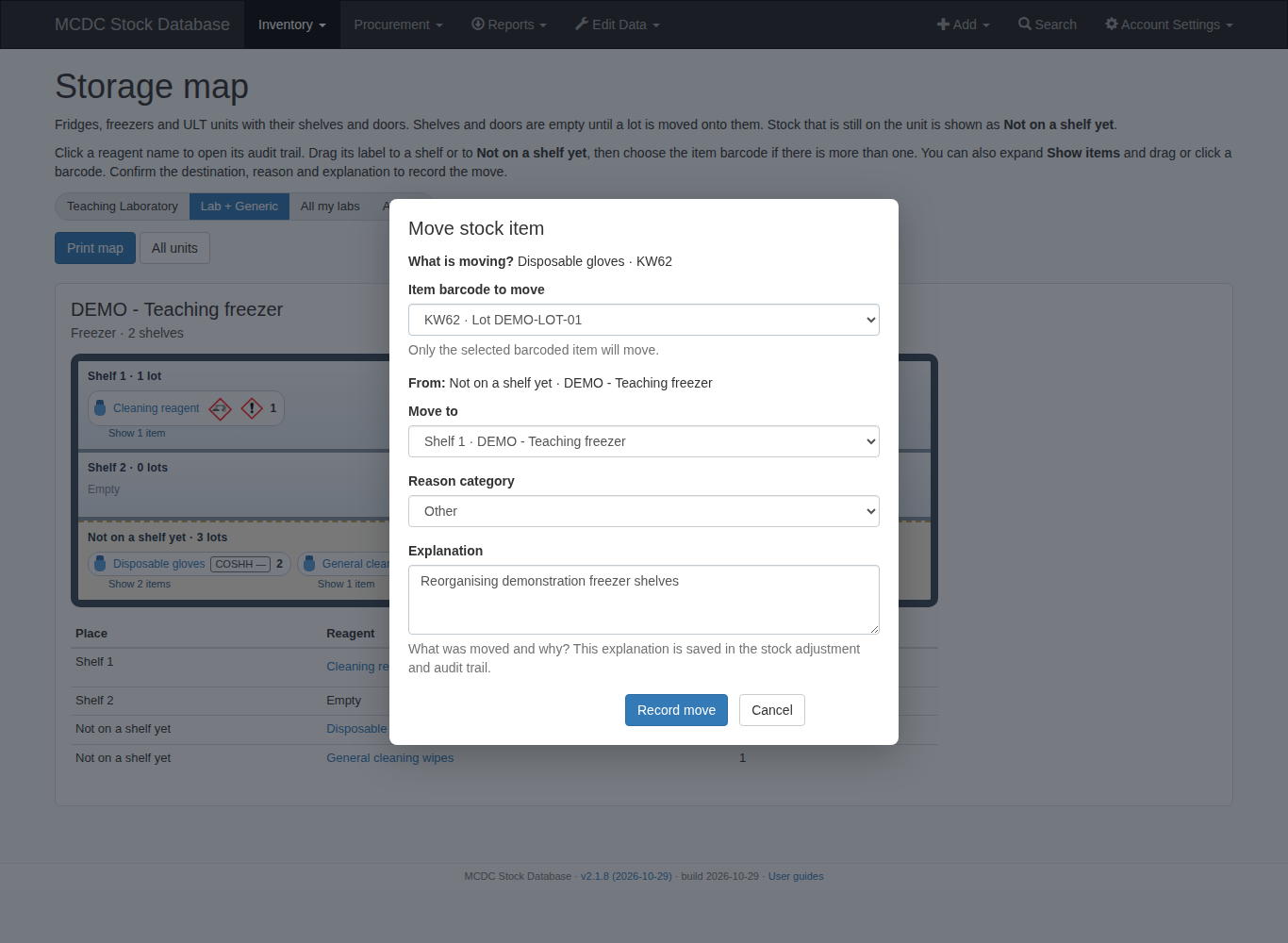
- Inventory → Storage map → select a unit. Click a reagent name to open its record. Drag its label, or expand Show items and drag a barcode, onto a shelf, door or Not on a shelf yet.
- If the label contains several items, choose one barcode. The move form identifies the item, source and destination. Select a reason, enter an explanation and click Record move. Cancel leaves the location unchanged. Clicking a barcode opens the same form without dragging.
- Not on a shelf yet means the lot is stored on the fridge/freezer unit itself. Move onto a shelf or back to the unit as needed. Recheck storage suitability afterwards.
Move multiple items (admin)
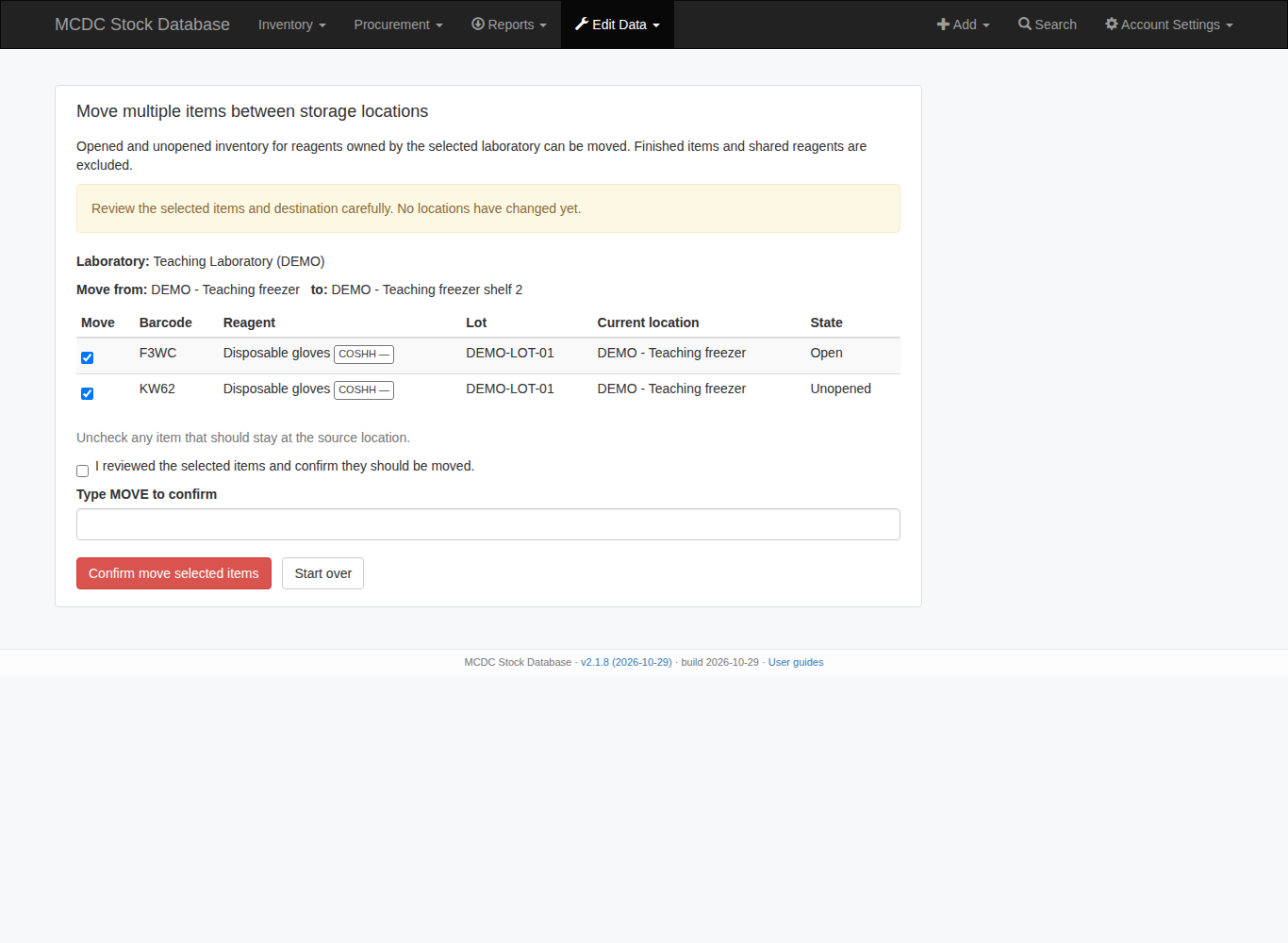
Edit Data → Move multiple items between storage locations: select the owning lab, source and destination, then Review items. Opened and unopened items for lab-owned reagents are eligible; finished items and shared reagents are excluded. Older rows without a lot owner may be included when their reagent belongs to the selected lab.
Untick items that should stay, acknowledge any suitability warnings, tick the confirmation and type MOVE. Only Confirm move selected items changes locations. A storage move does not transfer ownership between labs. Old/new locations remain in the audit trail.
At the bench
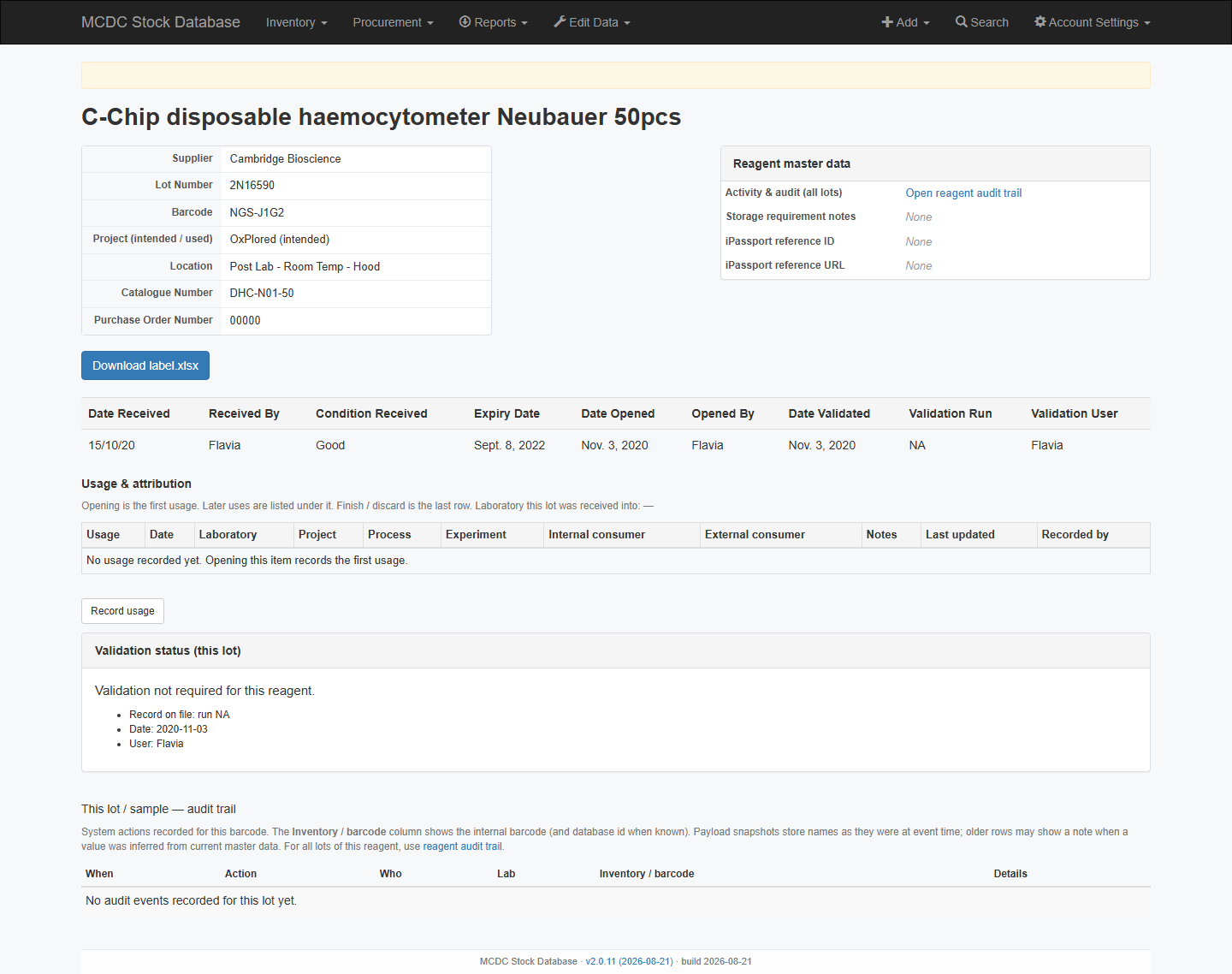
- The item page shows Location. A suitability warning appears if the location profile does not match the reagent requirement.
- Change location with the item Actions → Adjust (one change type at a time: volume, expiry, or storage; reason required).
- Open Item starts the open-vial countdown when a rule exists. Confirm storage and attribution; they seed the usage trail.
- Warning → use before the limit; breach → Finish / Discard with a reason (for example open-vial exceeded).
Dashboard and digest
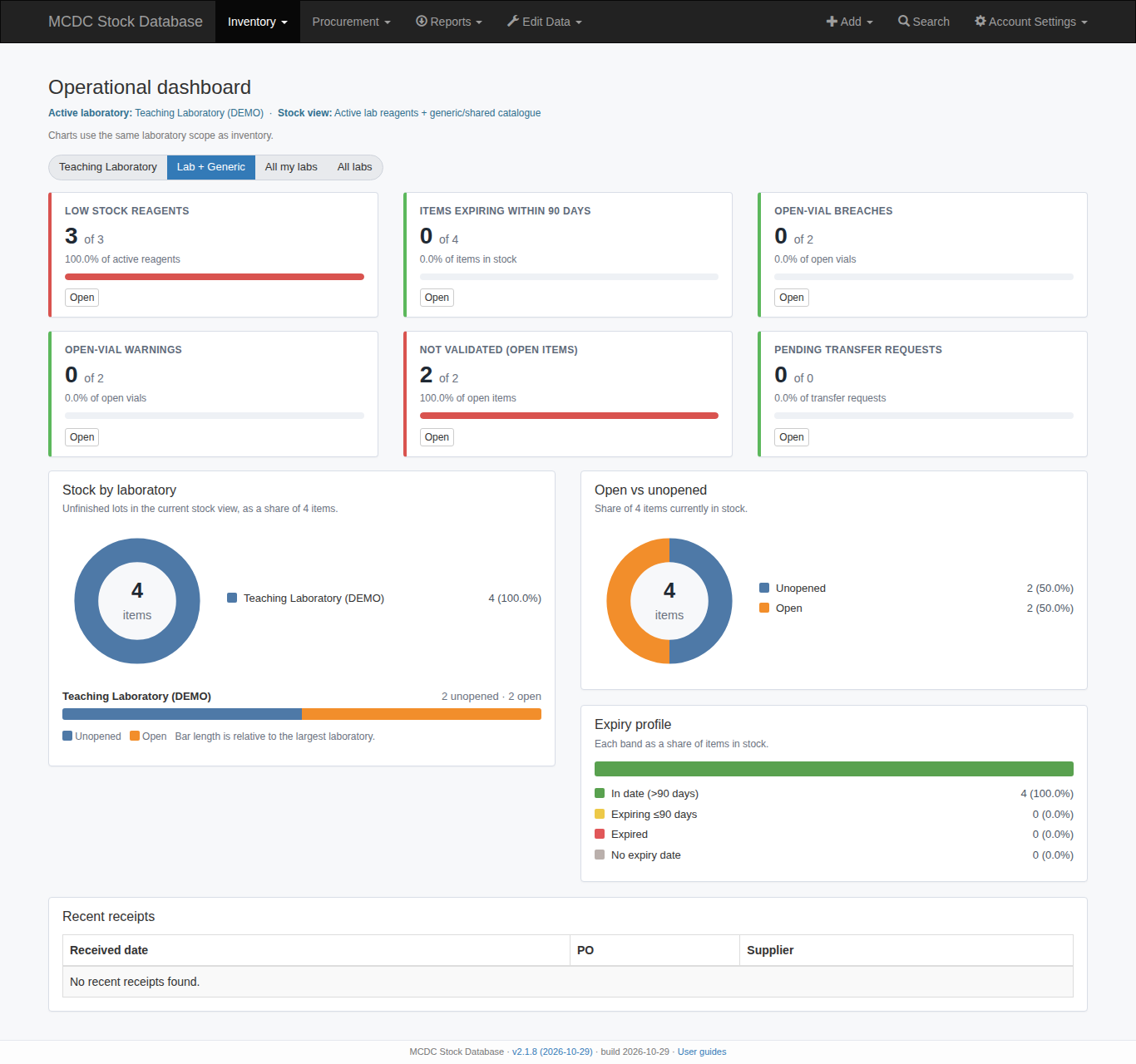
The dashboard (application name) has cards for Open-Vial Warnings and Open-Vial Breaches (count against open vials). Click Open on a card to jump to the matching list.
Operations: schedule /stock/open_vial_emails/ once per day from this server, or with X-Cron-Token (idempotent). See Reports & alerts.