Validation & traceability
Lot validation states, item-page history, and where to export an audit pack.
                    ┌──► Not required (reagent not requiring validation)
                    │
[start / book-in] ──┼──► Pending ──► Validated ──► (in use)
                    │        │
                    │        └──► Finished (failed / unusable)
                    │
                    └──► (Not required stays as-is)
States
| State | Meaning |
|---|---|
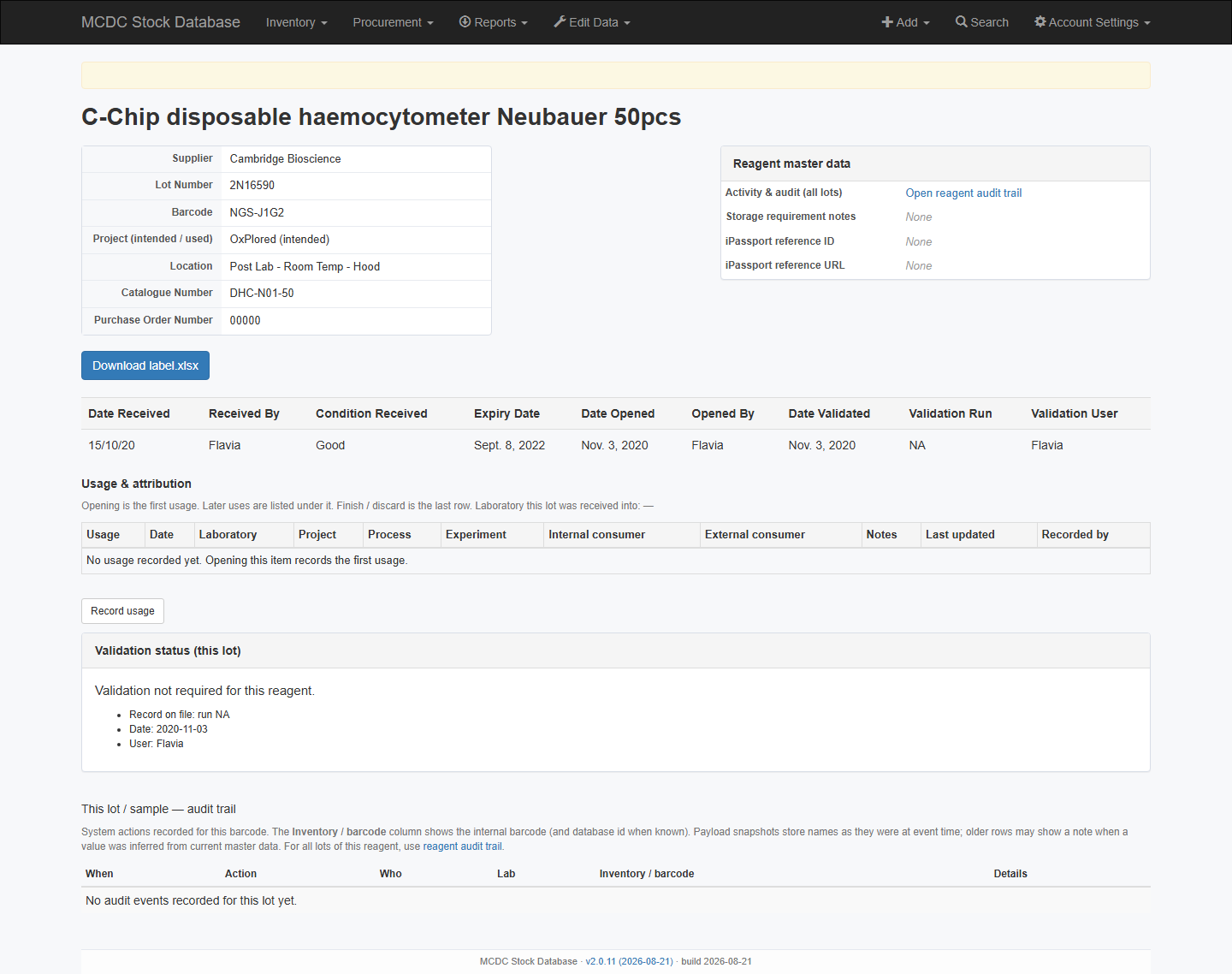
| Not required | Reagent does not require validation (item page shows “Validation not required”). A “not to be tested” marker can still be stored on book-in. |
| Pending | Needs validation before (or while) in use |
| Validated | Validation date + run recorded |
| Failed | No dedicated field — Finish with a clear reason |
Find lots that still need validation
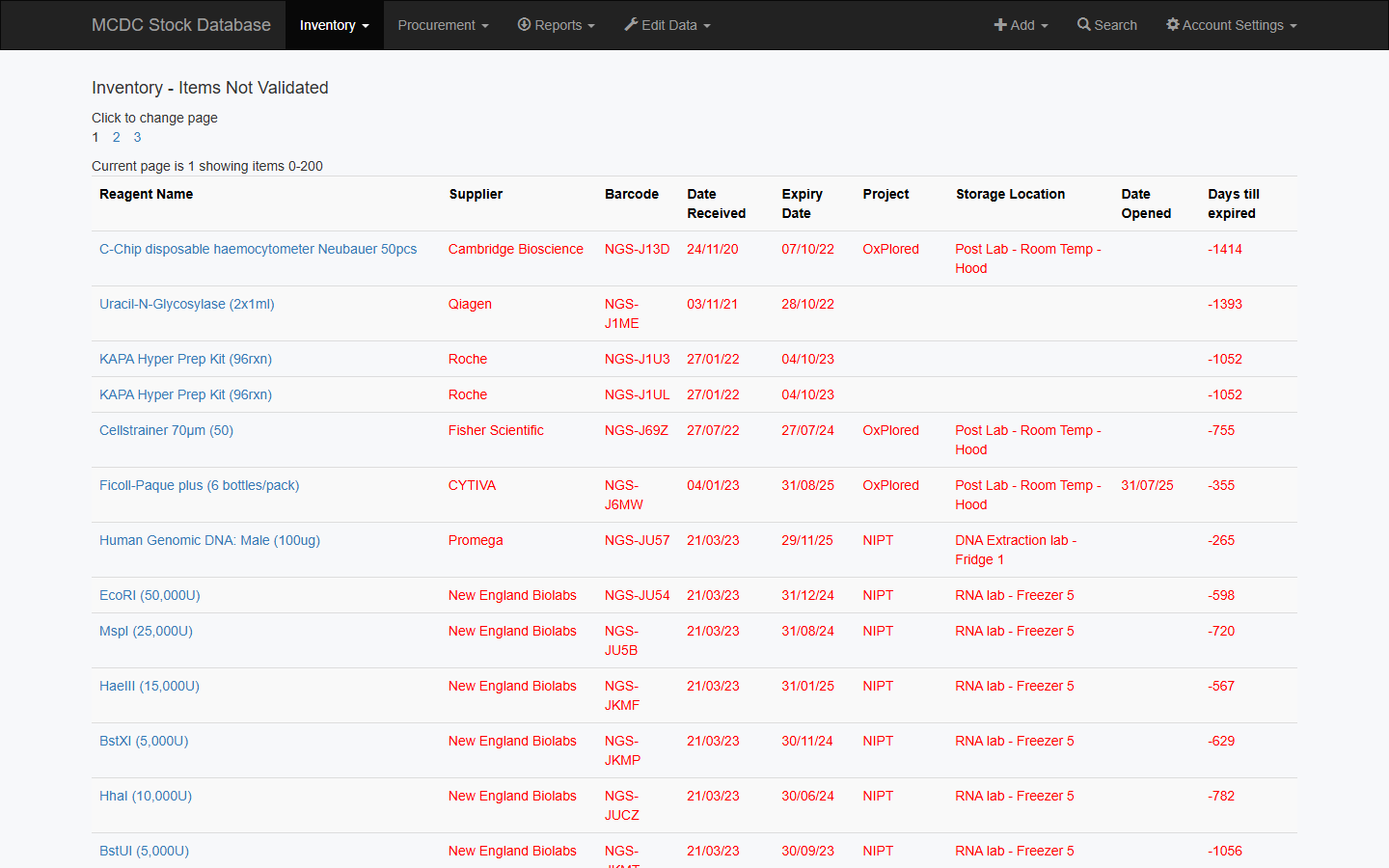
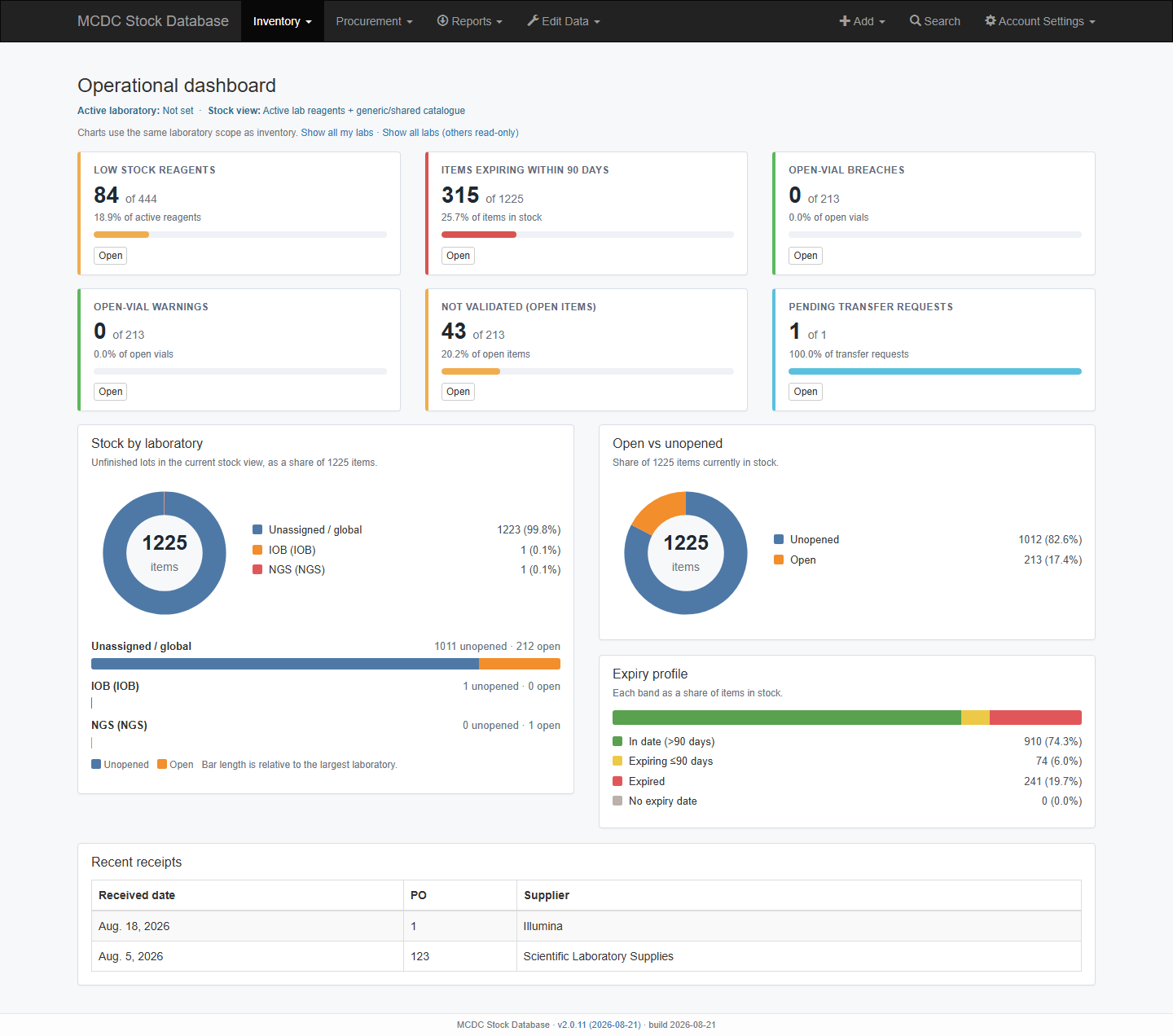
Inventory → Not validated lists open items waiting for a run. The dashboard card Not Validated (Open Items) is the same count against open vials. Inventory → Validated is the counterpart list.
Validate
- Open the item (active lab must own the lot) → Validate Item → date + run ID.
- Non-solutions: applied at lot level (same reagent / lot / received date).
- Solutions: may update linked component lots in the same prep context.
The item page panel Validation status (this lot) repeats the current state, run, date, and user.
Trace
- Item page — Usage & attribution (open → uses → finish) plus This lot / sample — audit trail (when, action, who, lab, barcode, details).
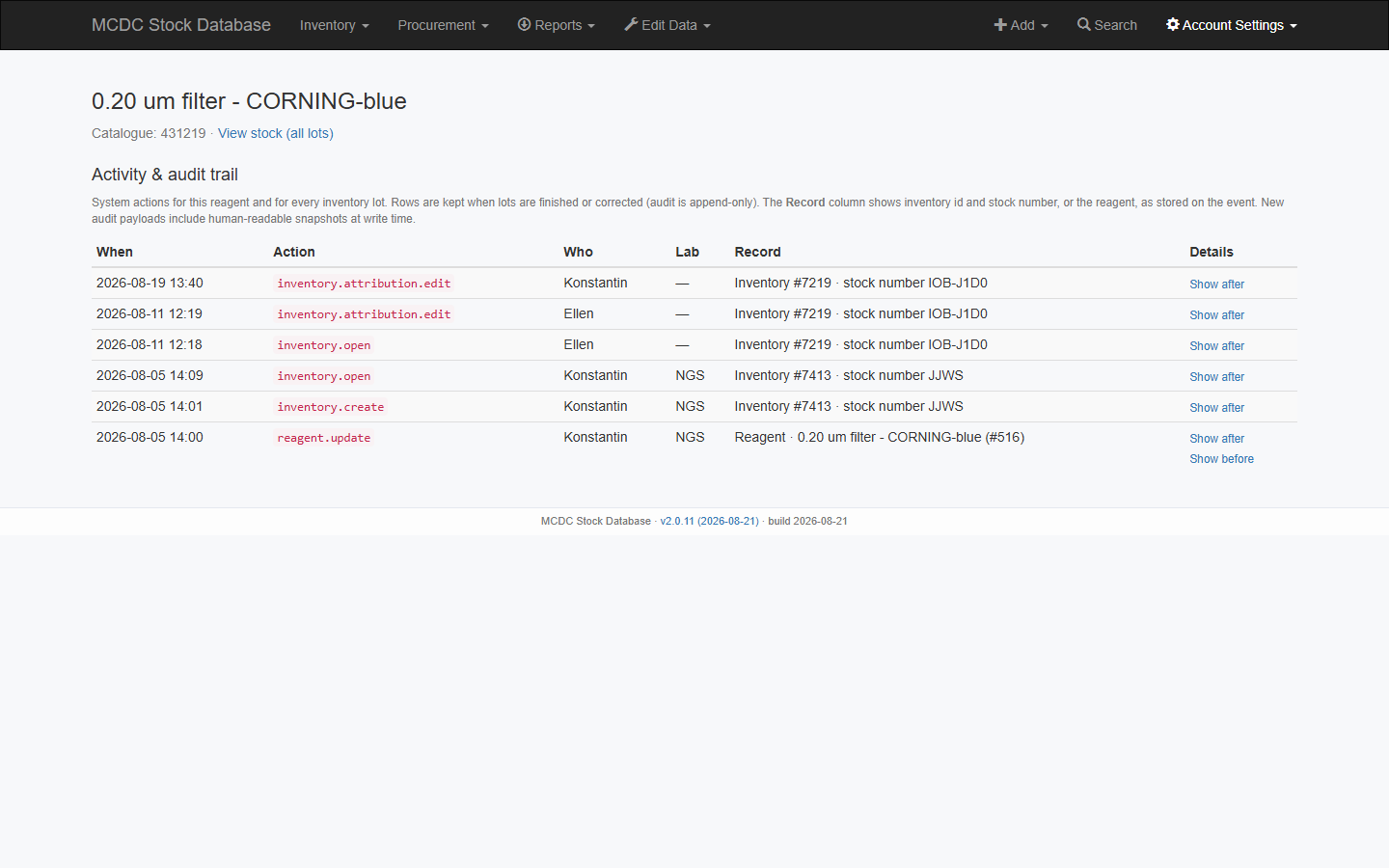
- Reagent detail — activity across all lots (including finished). From the item, use Open reagent audit trail, or View on List of Reagents.
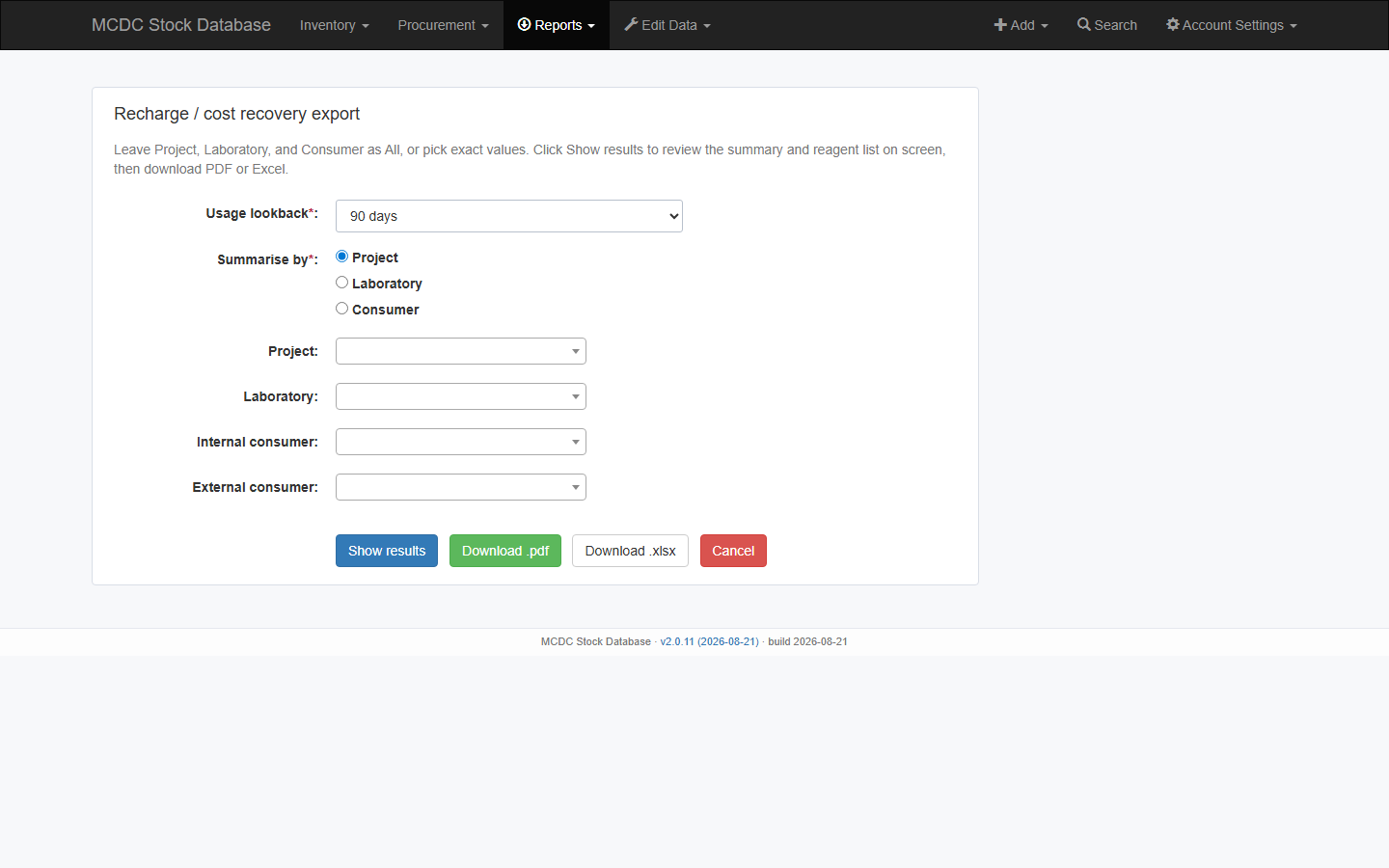
- Reports → Recharge billing for cost recovery by project, laboratory, or consumer.
- Admins: role review export under Reports; Django audit models under Edit Data → Edit users / admin.