Procurement & suppliers
Spreadsheet tracker for needs ordering → ordered → received, plus supplier catalogue and PO control.
Refresh low-stock ──► Needs ordering (oos) ──┐
Refresh expired   ──► Needs ordering (exp) ──┼──► Items ordered ──► Items received
+ Add row (manual)──► Needs ordering       ──┘         │
                                                       │
                       Not needed ◄────────────────────┘
                         (any pending row)
Menu
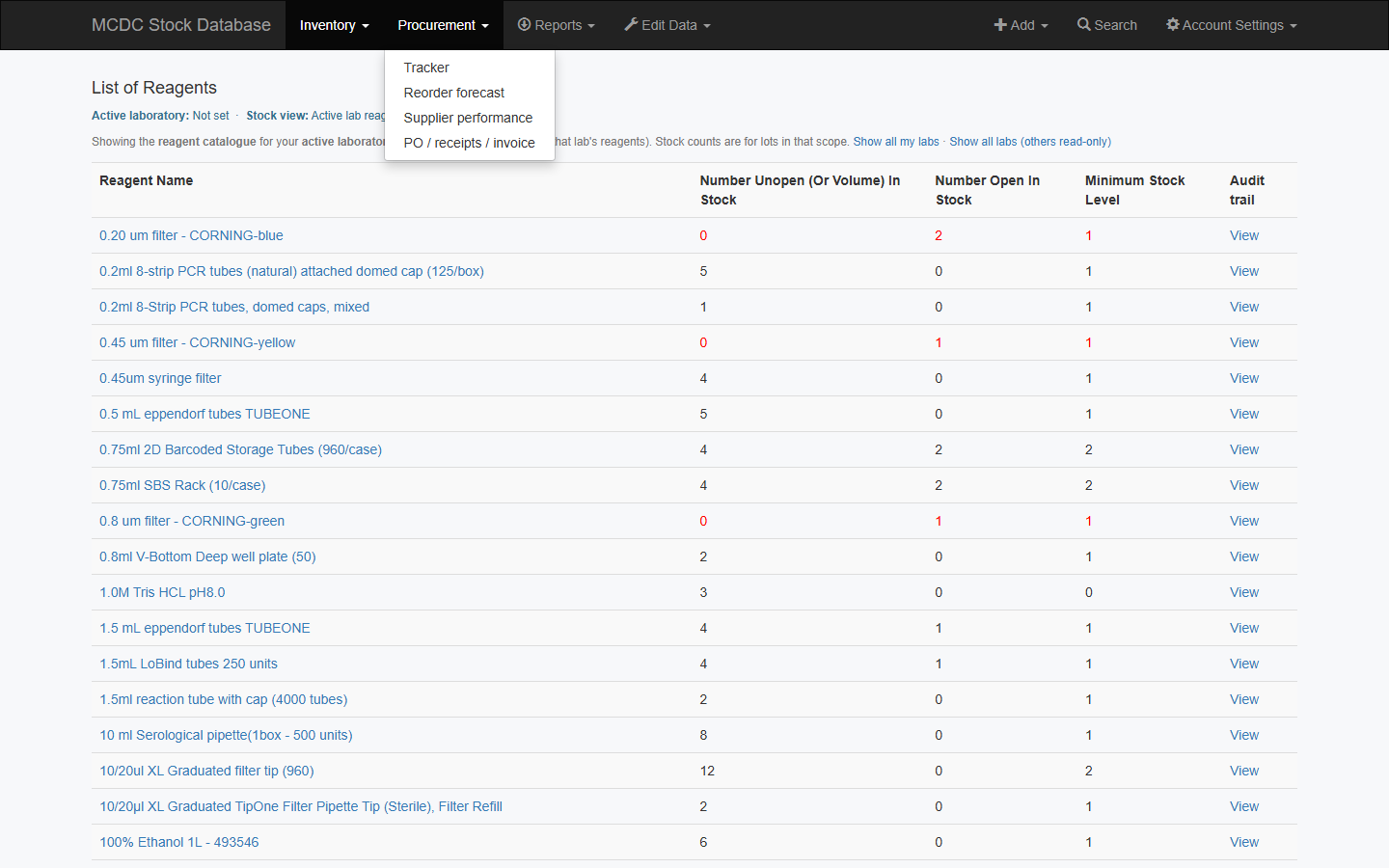
Tracker
Procurement → Tracker is a single grid. Edit cells inline (each save is audited). Filter by Status / Route / Urgent; search item, PO, or comments.
| Colour / status | Meaning |
|---|---|
| White — Needs ordering (oos) | From low stock |
| Blue — Needs ordering (exp) | From expiring/expired inventory (≤90 days) |
| Amber — Items ordered | PO / ordered date / R12 requisition |
| Green — Items received | Received date or quantity |
| Grey — Not needed | Marked not required |
| Red (Urgent column) | Row marked urgent |
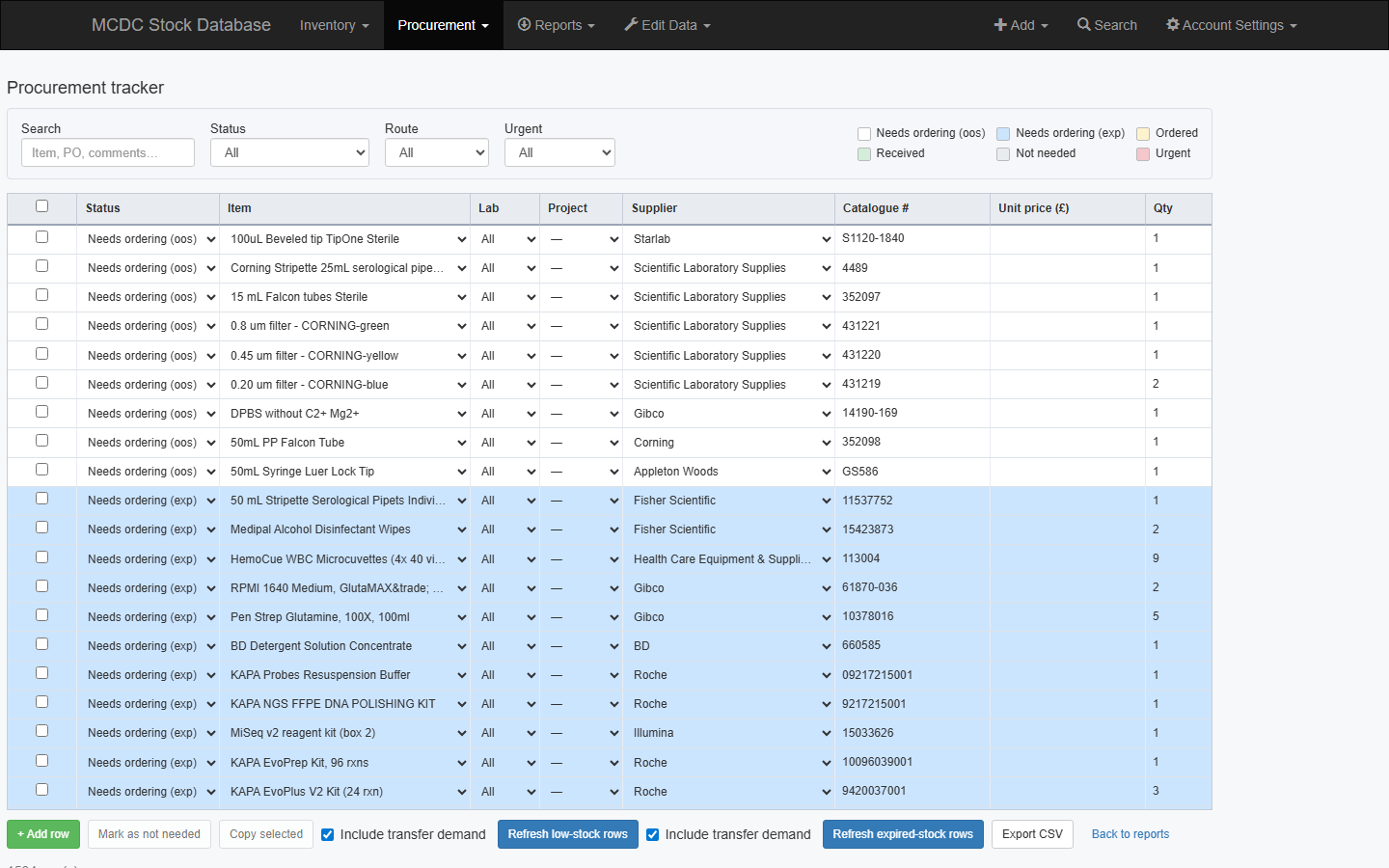
Refresh and export
- Open the tracker — low-stock rows sync automatically.
- Refresh low-stock rows / Refresh expired-stock rows (optional Include transfer demand).
- Export CSV.
Bulk actions
- Select rows (checkbox / select-all).
- Mark as not needed — status → Not needed.
- Copy selected — new pending row; clears PO/requisition/ordered/received dates and qty; keeps item/qty/price/need kind.
Edit locks
| Stage | Locked | Unlock by |
|---|---|---|
| Ordered | Entry fields (item, qty, supplier…) | Clear ordered date and PO/requisition |
| Received | Ordered details + entry | Clear received date / qty received |
Comments stay editable. Clear later-stage fields to unlock earlier ones. Route can be R12, Manual PO, or Other; Manual PO does not require an R12 requisition.
Suppliers and catalogue (admin)
- Edit Data → Supplier — list, add, edit, or activate/deactivate.
- Edit Data → Manage Supplier Catalogue — SKU, price, pack.
- Manage Supplier Approvals — one default supplier per reagent.
- Change Default Supplier for a reagent without opening the full catalogue.
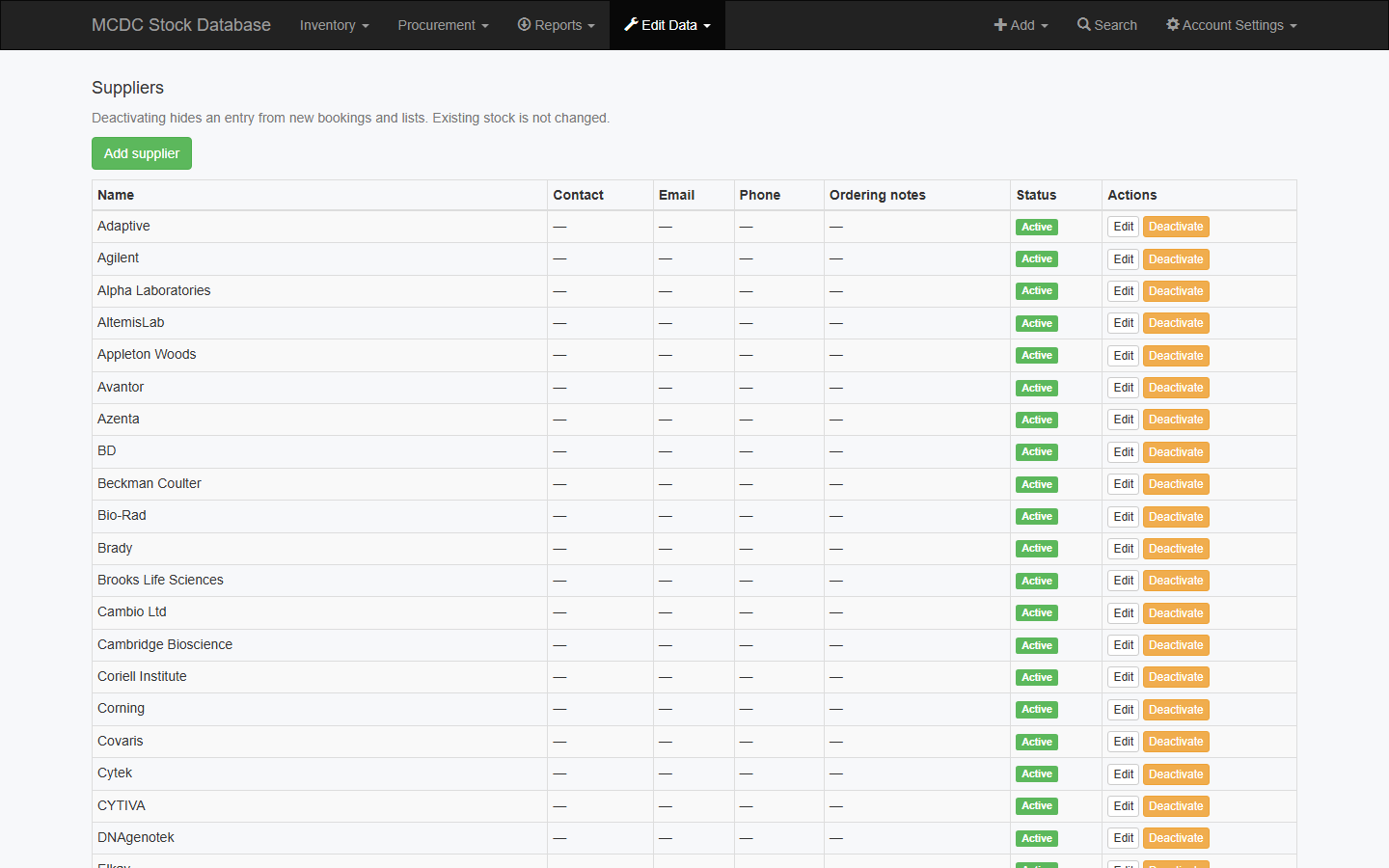
PO / receipts (admin)
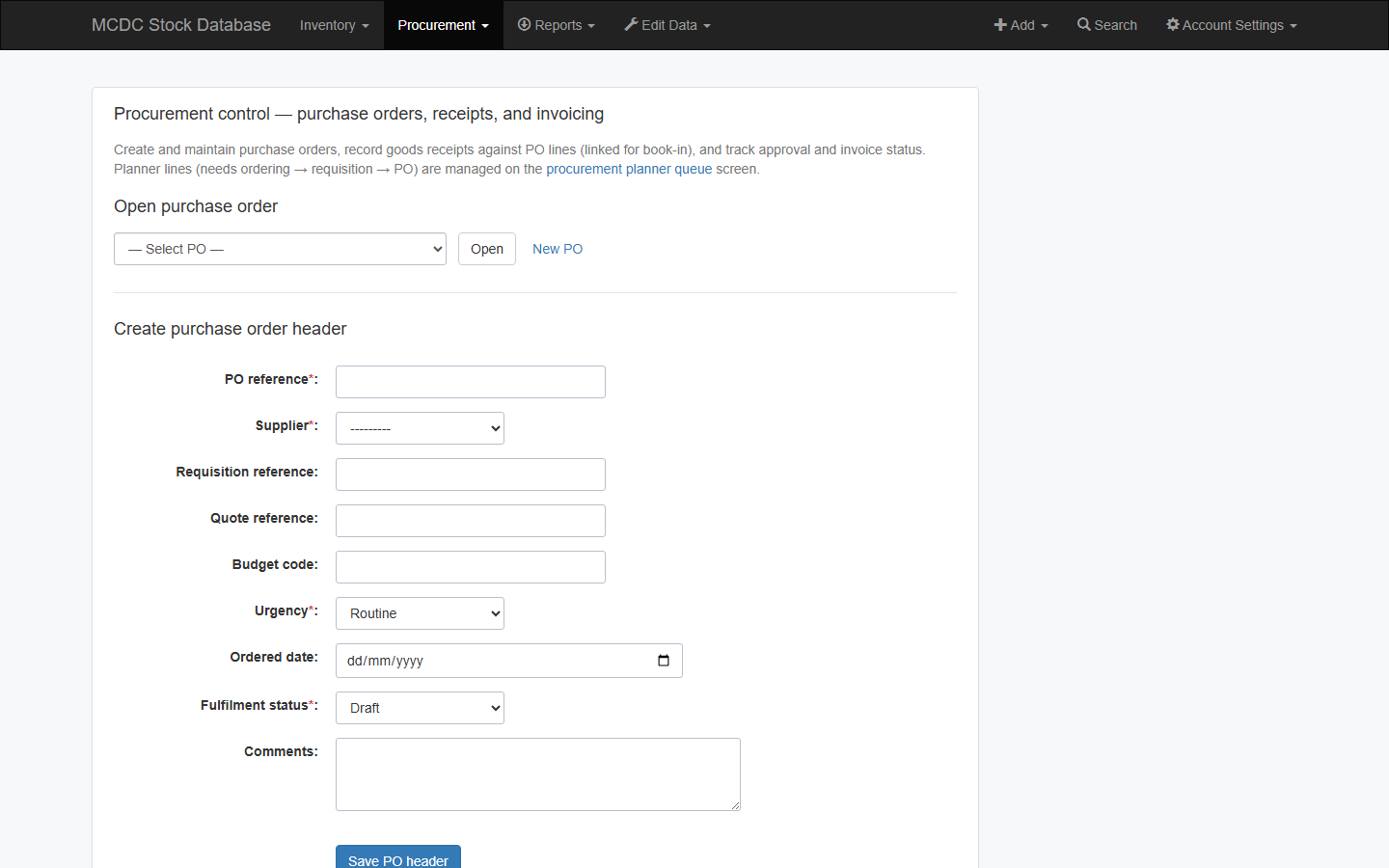
Procurement → PO / receipts / invoice — PO header and lines, goods receipts, approval and invoice. Book-in with the same PO reference to link inventory.
Below-minimum stock
Use the tracker (refresh low-stock) or Reports → Inventory → Reagents below minimum stock. The dashboard Low Stock Reagents card is the live count.
Procurement → Reorder forecast and Supplier performance download as XLSX.